

How DRM protects every playback
Encryption protects the content. DRM controls access to the key. When a viewer presses play, the device requests a license. Uplynk applies the DRM policy and, when authorized, provides the license needed to play the protected content.
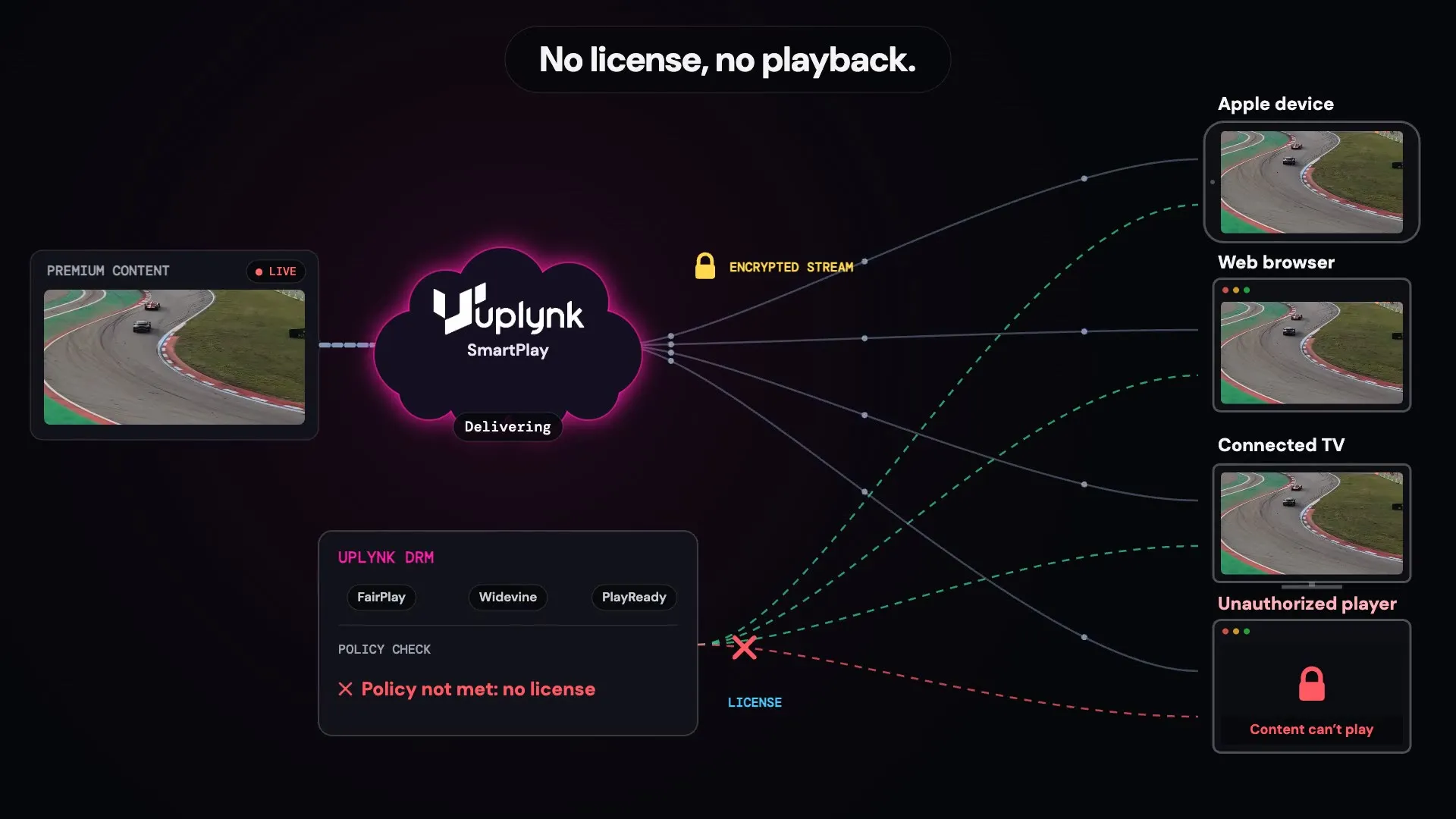
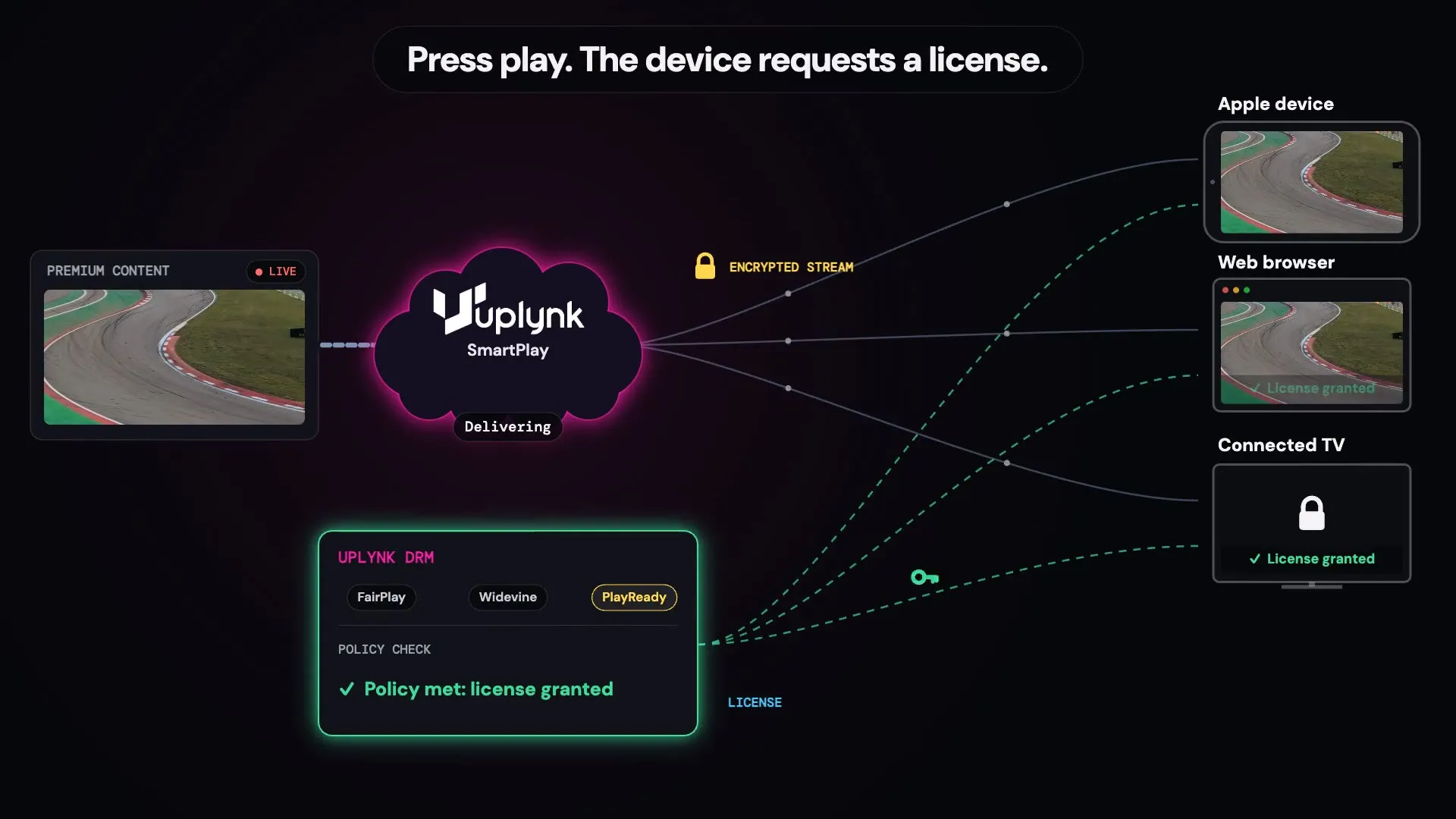
Protect, deliver, authorize, play
Protect
Uplynk encrypts your live or on-demand content for protected playback. DRM works within your existing Uplynk streaming workflow.
Deliver
A viewer presses play. Uplynk delivers the appropriate stream and DRM information for that viewer’s device.
Authorize
The player’s DRM system requests a playback license. Uplynk applies your DRM policy and returns a license when the requirements are met.
Play
The license unlocks protected playback. If the device doesn’t meet the policy, the license isn’t issued and the protected content won’t play.
Why DRM with Uplynk
Meet Your Licensing Terms
Protect premium content based on your distribution rights and licensing requirements.
Three DRM Systems, One Workflow
FairPlay, Widevine, and PlayReady are handled through the same Uplynk workflow, so you don’t need separate streaming platforms.
Rules You Control
Apply DRM policies based on your content rights and playback requirements.
Protection That Stays Out of the Way
DRM checks happen as part of playback, so authorized viewers simply press play and watch.
Which DRM systems does Uplynk support?
Uplynk supports Apple FairPlay, Google Widevine, and Microsoft PlayReady, covering major Apple, Android, browser, connected-TV, and set-top-box environments.
Isn’t my content already encrypted?
Yes, but encryption and DRM solve different parts of content protection. Encryption protects the video itself. DRM adds license-based control over who or what is allowed to play that protected content.
What can a DRM policy control?
DRM policies let you define the requirements a playback session must meet before a license is issued. Policies can be configured for different content, devices, and rights requirements.
Does DRM work for live and on-demand content?
Yes. Studio DRM can protect live events, live channels, and on-demand assets.
Does Uplynk log viewers in?
No. Your application remains responsible for viewer authentication and entitlement. Uplynk applies the playback and DRM controls associated with the stream and DRM policy.
How do I turn on Studio DRM?
Contact your account manager to activate Studio DRM on your account. FairPlay also requires you to register with Apple as a licensed content owner.
Explore More of SmartPlay
See how DRM fits into the rest of the Uplynk platform.